 Jikū
Payments
Your clients pay you directly, with the methods you choose; Jikū never touches their money.
Jikū does not collect your clients' money. They pay you on your Mobile Money numbers, your own payment link or in cash, and you mark "paid" in one tap.
Get your organization verified
In Settings, under Payments, open Verification and choose I organize in my own name or I organize for a company or an association. Only the form for your case shows. Verification is required before you can take payments.
Add your payment methods
Still in Settings, open Payment methods and add your numbers (Orange Money, MTN MoMo…) or your payment link. They show on your clients' tickets and pages.
Record payments
When a guest or a client has paid you, mark their ticket as paid. You see at a glance who has settled.
Sell tickets
For a concert, a party or a training, open sales: people buy their seat and pay you directly. Jikū takes 3% per ticket sold, nothing if nothing sells, and the first 50 tickets are free.
Pay Jikū
All prices include taxes: the amount shown is the amount you pay, and the invoice states the VAT it contains. The pricing page compares the plans.
For one event: add guests
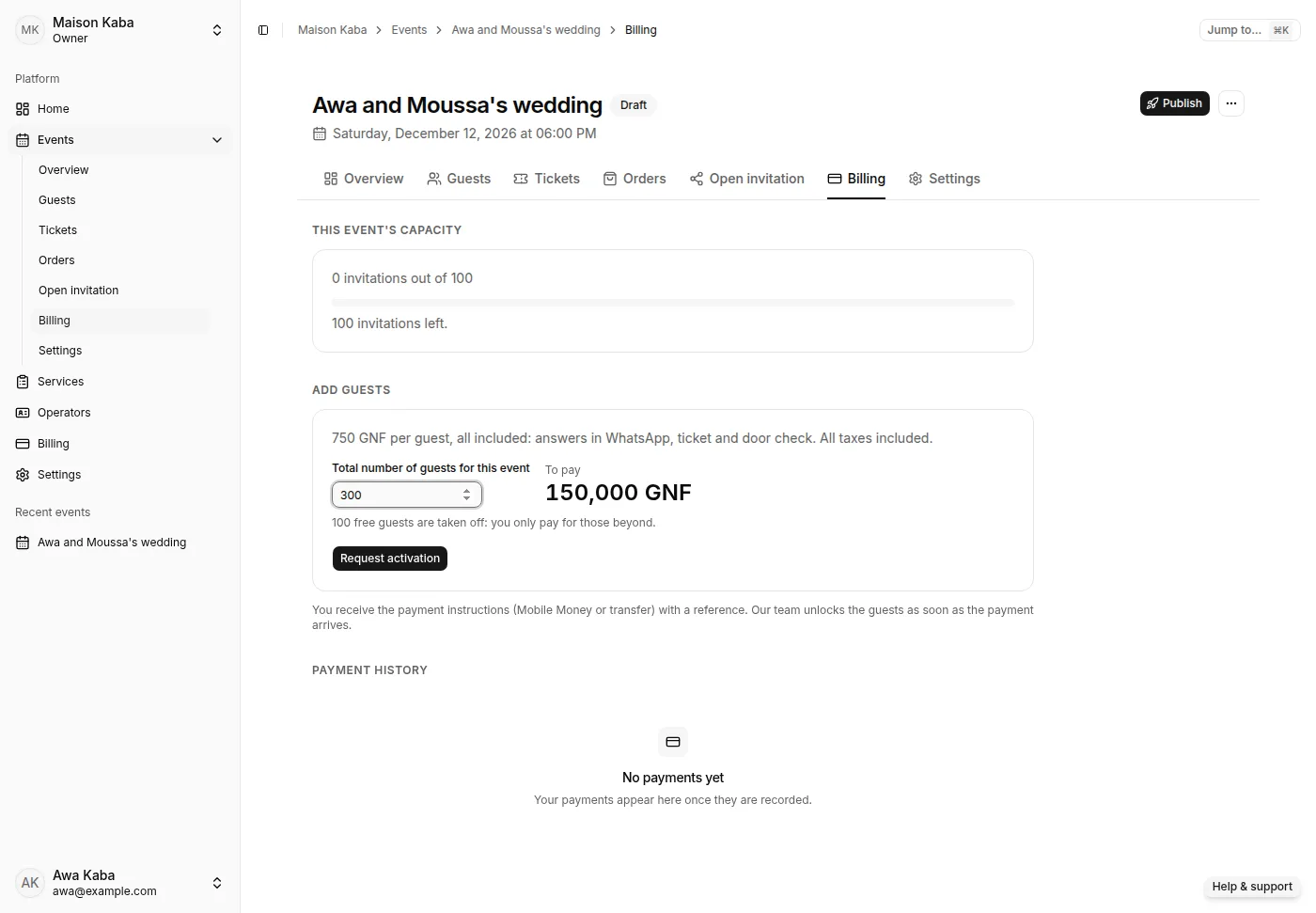
Your first 100 guests of the year are free. Beyond that, open the event, Billing tab, Add guests section. Enter the Total number of guests for this event: the amount To pay updates at once, all included. The free guests you have left are taken off the first purchase, and if the event already has paid guests, you only pay for the new ones. On the event's day, sending goes on up to 20% beyond your guests (at least 20): you settle them afterwards.
For several events a month: Pro Organizer
From Billing, subscribe to Pro Organizer: a monthly plan covering your guests of the month across all your events. It costs less than paying per event from 800 guests a month.
For your services: Services Pro
The Solo plan stays free for one person. Once a second person receives clients, a Your team has outgrown Solo banner says until when to choose. Choose Services Pro in Billing: a price per person per month, with group sessions and WhatsApp reminders. To stay on Solo, keep only one person active in Services.
Pay
Tap Request activation for an event, or Get payment instructions for a subscription: Jikū shows the exact amount and the transfer instructions with a reference. Send the amount quoting that reference; our team confirms and activates, usually within a few hours, and the invoice arrives in Billing, and by email as a PDF once your organization's legal identity is complete in Settings. Online payment is coming soon: a Pay online button will then show next to it.
A week before a subscription ends, a reminder shows at the top of your space with Renew. Without a renewal, a short grace period starts, then your services pause: clients can no longer book or take a line ticket, but appointments already booked stand, your events carry on and you keep access to your space. Everything resumes once the payment is confirmed.
Follow your waiting payments
Every request waiting for your transfer shows at the top of Billing, under Waiting payments, with its amount, its reference and the payee. It stays there after a reload, until our team confirms the transfer.
- I've sent the transfer tells our team, who look for it right away.
- Cancel the request closes it if you no longer need it. If you already sent the money, keep it: our team will confirm it.
- Changing plan or length while a request waits first asks Replace the waiting request?: the new reference replaces the old one, so only send the new amount.
- A request with no transfer expires after 7 days, and you get an email. A transfer that arrives later is still confirmed.
The history shows Paid and Waiting payments by default. Show all adds those that are Cancelled, Expired, Declined (with the reason) or Not completed.