 Jikū
Create and share an invitation card
Post a card in your WhatsApp groups, let everyone answer, and count the yeses.
The invitation card is for when you have no guest list: a birthday, a party, a club celebration. You post one card, everyone answers in one tap, and every "yes" gets a QR ticket.
Create the event
In Events, create your event with its name, date, time and place. That is what the card will show.
Open the invitation
In the event, open Open invitation, then start a shareable invitation. Under Customize the card, pick its style: Elegant, Modern or Festive, with your photo or your color.
Set the answers
Still under Customize the card, set how many plus-ones each person may bring and the deadline to answer. Show how many are coming shows “23 people are coming” on the card from 5 people: only the number appears, never a name. Let guests invite someone offers, after “I'm coming”, to pass the card to someone forgotten: on by default when places are unlimited, off when you set a limit. The Take answers switch stays in view at the top to open or close the card in one tap.
Publish the event
The card only accepts answers once the event is published. The Publish button tells you what is still missing.
Share the card
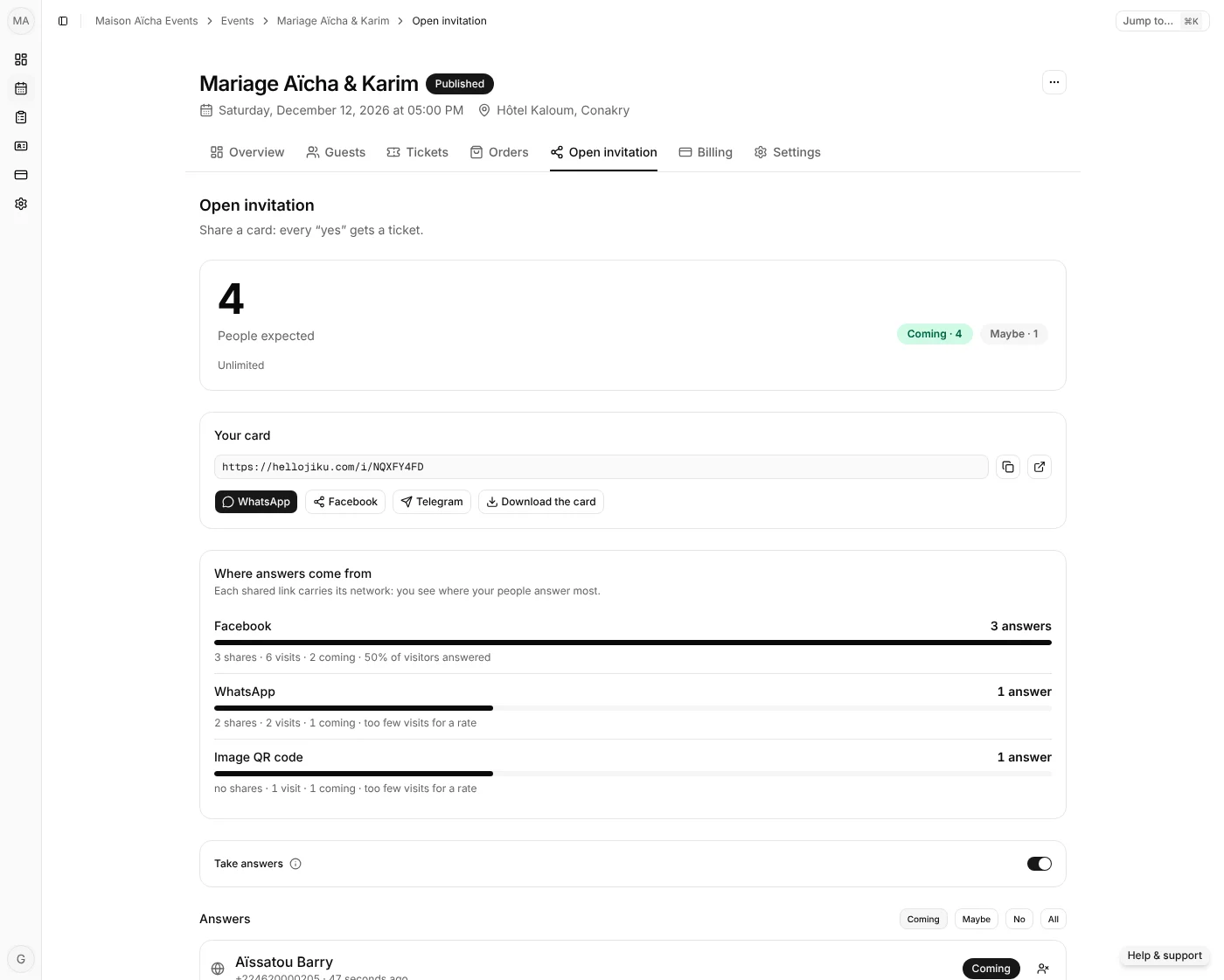
From Your card, on a phone, tap Share…: the card image goes with the ready message, to WhatsApp, Facebook, Messenger, Telegram or SMS. The WhatsApp, Facebook and Telegram buttons send the link, whose preview shows the card; you can also copy the link. Download the card offers three sizes: For a status (vertical, full screen), For a post and Landscape. When you change the card, links shared afterwards show the new preview.
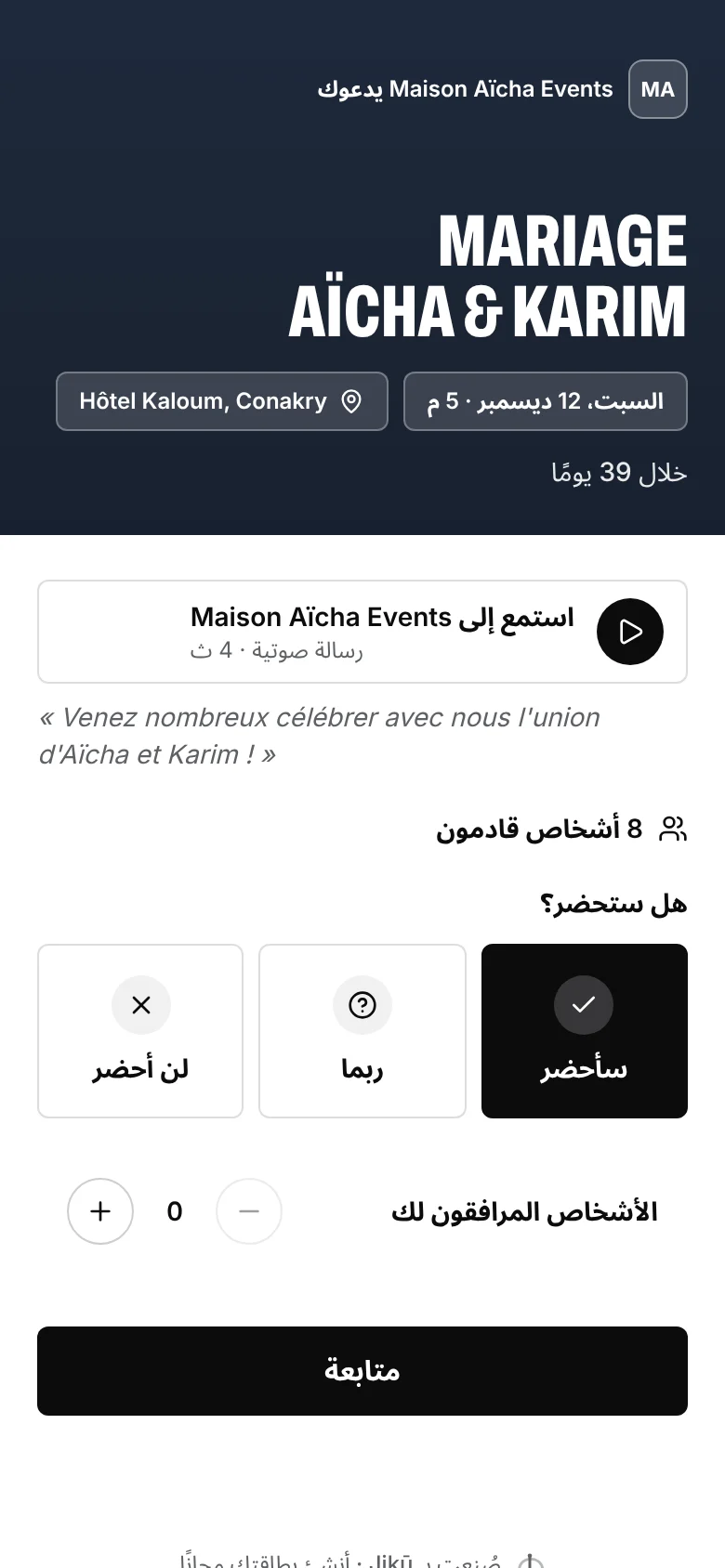
On the card, your guests see the countdown (“In 39 days”), tap the place for directions, and once they answer add the date to their calendar (Google Calendar or any other, with a reminder the day before).
Under Your card, Voice message lets you say the invitation in your own voice, 30 seconds at most: tap Record, listen back, add the message's words if you like, then Use this message. Guests listen at the top of the card; nothing downloads until they tap play. Without a microphone, Import a file takes a recording you already have.
Below the card, Where answers come from counts, for each network, the shares, the visits of the card and the answers: every shared link carries its network, and so does the image's QR code. You see where your people answer most, without anyone being tracked: only numbers are kept.
The card in your guests' language
Your guests read the card, their ticket, the ticket page and the booking page in French, English or Arabic. In Settings, Guests' language picks an event's language with one tap on Français, English or العربية. The links you share then open in that language, and messages go out in it: invitations and tickets by WhatsApp and email, the share message, the card image, and what you send and remind from your own WhatsApp. In Arabic, everything reads right to left.
Your guests stay in control: at the bottom of each page, Français, English and العربية switch language, and a phone set to Arabic opens the Arabic version straight away. What you write (the event name, the place, your message) stays as you wrote it.

Follow the answers
Answers arrive live in Responses: who is coming, who is unsure, who is not, and with how many plus-ones. Every "yes" gets a QR ticket, checked at the door as described in Check guests in.
Need the right words?
Our birthday invitation texts are ready to copy onto your card or into your WhatsApp message.